
• Latest
  • Trending
  • All
  • Market Updates
  • Cryptocurrency
  • Blockchain
  • Investing
  • Commodities
  • Personal Finance
  • Technology
  • Business
  • Real Estate
  • Finance
Do yourself a favor and skip buying a Google Pixel right now – it’ll be worth it

How to restart your Android phone without using the power button: 2 easy ways

February 10, 2026
Best MT5 EAs for Gold Trading in 2026: Complete Expert Advisor Review & Comparison – Trading Systems – 10 February 2026

Best MT5 EAs for Gold Trading in 2026: Complete Expert Advisor Review & Comparison – Trading Systems – 10 February 2026

February 10, 2026
North American equity close: A mid-day swoon attracts dip buyers. Sixth month of gains

investingLive Americas market news wrap: US retail sales disappoint

February 10, 2026
Bitcoin Top Traders Hold Tight Despite 14% Price Recovery

Bitcoin Top Traders Hold Tight Despite 14% Price Recovery

February 10, 2026
Facebook can animate your profile pic with AI

Facebook can animate your profile pic with AI

February 10, 2026
US November business inventories +0.1% vs +0.2% expected

US November business inventories +0.1% vs +0.2% expected

February 10, 2026
Bitcoin Could See New Drop To $60,000 Despite Bounce

Bitcoin Could See New Drop To $60,000 Despite Bounce

February 10, 2026
Affordability led to a chasm between stock prices, consumer optimism

Affordability led to a chasm between stock prices, consumer optimism

February 10, 2026
Coca-Cola, CVS Health, Ferrari, Taiwan Semi and more

Coca-Cola, CVS Health, Ferrari, Taiwan Semi and more

February 10, 2026
Disabling this Pixel app could free up to 10GB of storage space – how it works

Disabling this Pixel app could free up to 10GB of storage space – how it works

February 10, 2026
USD/JPY continues to fall after US retail sales miss

USD/JPY continues to fall after US retail sales miss

February 10, 2026
What It Actually Takes to Prove Someone Is Satoshi Nakamoto

What It Actually Takes to Prove Someone Is Satoshi Nakamoto

February 10, 2026
The latest Linux kernel release closes out the 6.x era – and it’s a gift to cloud admins

The latest Linux kernel release closes out the 6.x era – and it’s a gift to cloud admins

February 10, 2026
Tuesday, February 10, 2026
No Result
View All Result
InvestorNewsToday.com
  • Home
  • Market
  • Business
  • Finance
  • Investing
  • Real Estate
  • Commodities
  • Crypto
  • Blockchain
  • Personal Finance
  • Tech
InvestorNewsToday.com
No Result
View All Result
Home Blockchain

How to restart your Android phone without using the power button: 2 easy ways

by Investor News Today
February 10, 2026
in Blockchain
0
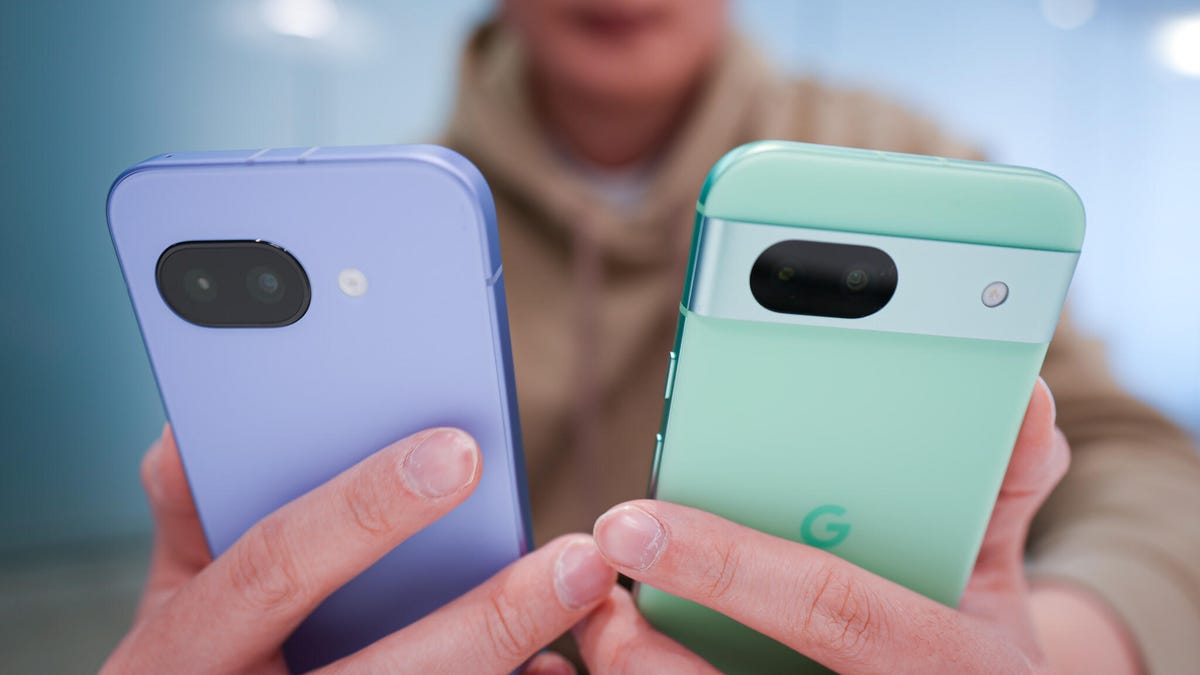
Do yourself a favor and skip buying a Google Pixel right now – it’ll be worth it
492
SHARES
1.4k
VIEWS
Share on FacebookShare on Twitter


How to restart your Android phone without the power button: 2 alternative methods
Jack Wallen / Elyse Betters Picaro / ZDNET

Comply with ZDNET: Add us as a most popular supply on Google.


ZDNET’s key takeaways

  • It’s best to make a behavior of restarting your cellphone.
  • There are a number of methods to restart an Android system.
  • These strategies may help with put on and tear on bodily buttons.

I commonly restart my Pixel 9 Professional, and there is a good purpose for that. Truly, there are a number of the reason why I commonly restart my cellphone (weekly — at the least). Here is a brief checklist so that you can ponder:

  • Improves efficiency by clearing momentary caches.
  • Enhances safety by disrupting potential cyberattacks and eradicating malware from reminiscence.
  • In case your cellphone has slowed down, is getting scorching, apps are crashing, otherwise you’re having connectivity points, a restart usually fixes these points.

These three factors alone ought to have you ever reaching in your Android cellphone.

Additionally: Use a Pixel cellphone? Turning on this hidden digicam function makes images completely pop

As for me, I usually restart my cellphone each Saturday. I’ve to try this manually, as a result of Google eliminated an auto-restart function from Android a while in the past. There are apps accessible so as to add this performance again, however I might a lot relatively do it myself.

Each time I restart my cellphone, it seems like some form of magic occurs underneath the hood; my Pixel 9 Professional is again to being a professional once more. It’s best to critically contemplate doing this as properly. In fact, you most likely already know how one can restart your cellphone. Press and maintain that energy button till the ability menu seems, and faucet Restart. It is easy.

Nonetheless, what if there is a purpose why you may’t press and maintain that button? I do know some individuals with arthritis of their fingers, and urgent and holding a button generally is a problem. On high of that, the wear and tear and tear on bodily buttons is an actual factor.

Additionally: My 4 favourite Android display screen recorders – and a couple of are utterly free

Luckily, Android has various strategies for restarting the OS, choices that do not require urgent and holding a bodily button. I exploit one among these strategies, and I believe you will discover it higher than utilizing a button.Let me present you the way.

How one can restart your Android cellphone from the Notification Shade

When you pull down the Notification Shade twice in your Android cellphone, you will see a small energy icon on the backside proper nook. Faucet that button, and the identical energy menu seems (as in case you’ve gone the bodily button route). 

Additionally: Your Android cellphone’s strongest safety function is off by default and hidden – flip it on now

Faucet Restart and voilà — your cellphone will restart.

The Android Notification Shade.

That is the strategy I exploit to restart my cellphone.

Jack Wallen/ZDNET

That is the strategy I at all times use for restarting my cellphone.

How one can restart your Android cellphone from the Accessibility Menu

This technique requires that you just allow the Accessibility Menu. 

As soon as you have enabled this function, you will see an expandable menu button on the backside left of your show. Faucet that button, and the Accessibility Menu seems, the place you may then faucet the ability button to disclose the Energy Menu. Whew.

Additionally: My high 6 open-source Android apps from the Google Play Retailer – and why that is necessary

To allow the Accessibility Menu, observe these steps.

Pull down the Notification Shade twice and faucet the Settings icon (gear) on the backside proper. As soon as Settings is open, scroll down and faucet Accessibility.

Present extra

The Android Accessibility settings page.

There are a number of options that you just would possibly discover of worth on this part.

Jack Wallen/ZDNET

Inside the Accessibility web page of Settings, find Accessibility Menu. Faucet that entry after which, within the ensuing web page, faucet the On/Off slider till it is within the On place. It will add the Accessibility Menu shortcut to your Android show.

Present extra

The Accessibility Menu page in Android Settings.

Within the Settings part you may set the transparency of the Accessibility shortcut.

Jack Wallen/ZDNET

Shut the Settings app, and you will see the Accessibility Menu shortcut close to the underside proper of your show. Faucet that button, faucet the ability choices, after which faucet Restart.

The Power menu accessed from the Accessibility Menu.

Here is the ability button as opened from the Accessibility Shortcut.

Jack Wallen/ZDNET

You now have a number of methods to restart your Android cellphone.



Source link

Tags: AndroidbuttonEasyphonePowerRestartWays
Share197Tweet123
Previous Post

EUR/USD consolidates near 1.0900 as traders await US Retail Sales data

Next Post

Siemens CEO Roland Busch’s mission to automate everything

Investor News Today

Investor News Today

Next Post
Siemens CEO Roland Busch’s mission to automate everything

Siemens CEO Roland Busch’s mission to automate everything

  • Trending
  • Comments
  • Latest
Want a Fortell Hearing Aid? Well, Who Do You Know?

Want a Fortell Hearing Aid? Well, Who Do You Know?

December 3, 2025
Private equity groups prepare to offload Ensemble Health for up to $12bn

Private equity groups prepare to offload Ensemble Health for up to $12bn

May 16, 2025
The human harbor: Navigating identity and meaning in the AI age

The human harbor: Navigating identity and meaning in the AI age

July 14, 2025
Lars Windhorst’s Tennor Holding declared bankrupt

Lars Windhorst’s Tennor Holding declared bankrupt

June 18, 2025
Why America’s economy is soaring ahead of its rivals

Why America’s economy is soaring ahead of its rivals

0
Dollar climbs after Donald Trump’s Brics tariff threat and French political woes

Dollar climbs after Donald Trump’s Brics tariff threat and French political woes

0
Nato chief Mark Rutte’s warning to Trump

Nato chief Mark Rutte’s warning to Trump

0
Top Federal Reserve official warns progress on taming US inflation ‘may be stalling’

Top Federal Reserve official warns progress on taming US inflation ‘may be stalling’

0
Best MT5 EAs for Gold Trading in 2026: Complete Expert Advisor Review & Comparison – Trading Systems – 10 February 2026

Best MT5 EAs for Gold Trading in 2026: Complete Expert Advisor Review & Comparison – Trading Systems – 10 February 2026

February 10, 2026
North American equity close: A mid-day swoon attracts dip buyers. Sixth month of gains

investingLive Americas market news wrap: US retail sales disappoint

February 10, 2026
Bitcoin Top Traders Hold Tight Despite 14% Price Recovery

Bitcoin Top Traders Hold Tight Despite 14% Price Recovery

February 10, 2026
Facebook can animate your profile pic with AI

Facebook can animate your profile pic with AI

February 10, 2026

Live Prices

© 2024 Investor News Today

No Result
View All Result
  • Home
  • Market
  • Business
  • Finance
  • Investing
  • Real Estate
  • Commodities
  • Crypto
  • Blockchain
  • Personal Finance
  • Tech

© 2024 Investor News Today